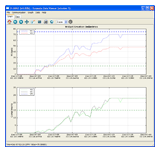
Texmate Data Viewer - 4.2.0.0

The Texmate Data Viewer is an easy to use graphing and data log extraction package for the Texmate Tiger series of Programmable Meter Controllers.

It connects to your meter through a serial (RS232/485) line or Ethernet (TCP/IP) connection and reads the data in the data log for display, export, or graphing. You can also fully configure the data log, and set logging timers and triggers as well as set Print data for Serial Printers.

It is provided by Texmate free of charge and runs on Microsoft Windows 2000, XP, Vista or Mac OS X 10.4+ (Intel only) (Universal Binary v3.3.0.2 - 4.0.0.4).

Note: The updater package (texmate_viewer_update_*.exe) updates from prior versions of the Data Viewer to the latest version on Windows only.

Download

If you find something amiss with the software, you are encouraged to submit a report to our internal bug tracker so we can take care of your issue efficiently.

Report a bug with Texmate Data Viewer »

Change Log »

#########################
Version 4.2.0.0:

New Features:
* Auto Logging can now be configured to start when a selected register
  is above or below any value. It continue to log at the chosen time
  interval until the register value is out of the range.

Enhancements:
* 32 Channels can be logged on the graphs. Up from 16 in previous versions.

Bug Fixes:
* Small fixes and stability improvements including Japanese text
  enhancements on the graphs.

#########################
Version 4.1.0.0:

Enhancements:
* Updating to utilize new Matplotolib libraries for improved speed
  and nicer legend display

Bug Fixes:
* Small fixes and stability improvements.

#########################
Version 4.0.0.4:

Bug Fixes:
* Trapping more communication errors on initial connection to the Controller.
* Trapping errors in opening SD Card files, usually these were related to
  antivirus or firewall software not allowing access to a file on an external
  drive.
* Numerous other small bug fixes.

#########################
Version 4.0.0.0:

New Features:
* Up to 32 Channel support for controllers that support that many
  channels - up from 16 in version 3.
* New Default "Live View" showing live data from the Controller.
  Live View enables up to 9 registers to be displayed on screen at
  once, and an additional four digitally.
* Live View can have bargraph display or chart display. Time axis
  window is configurable for chart display, while the minimum and
  maximum values are configurable for bargraph views.
* Shading for values above or below the axis guides on both the Live
  View, and the logged data graphs.
* Auto Connect is now an option: the Data Viewer can attempt to
  establish connection with your controller using the saved
  communication settings when you start the software.
* New single column layout for the Data Log axes to more efficiently
  display all of the information over time.
* Simple configuration for event based logging is now possible.
* Filtering logged events can be done in software, so that your data
  import won't be cluttered with unwanted log samples from triggers
  other than those which you are interested in. Filtering is offered in
  two types: Exclusive Triggers where the software only imports those
  samples matching the sample triggers you are looking for, or
  Exclude Triggers where the software only imports data from triggers
  that were not logged by the selected triggers.
* Selection of the default startup view is now possible.
* Live View data and Logged data can now optionally persist through
  application closing and reopening.

Enhancements:
* Data Panel speed. Internally revamped the in-memory Data Storage
  engine, now it is vastly more efficient with huge datasets,
  especially column sorting which was inefficient in prior versions.
* The Data Archive can now be sorted by clicking on the column headers.
* Simplified the Graph Axis-Data Channel map. Now more flexible as well
  since each channel can now be plotted on more than one axis at a time.
* Unified and simplified the Preferences dialogs for both Graphing and
  Communication.
* Autologging timer settings are now simplified, and offer 0.5 second,
  and as fast as possible (currently 0.1 sec) settings.
* Modbus and Ascii TCP/IP ports are now separated since port 10001 is
  the default Texmate Ascii protocol port, and 502 is the official
  Modbus TCP port.
* Numerous small interface tweaks and enhancements.

Bug Fixes:
* Formatting information previously could be incorrect under certain
  circumstances when not reading data from the beginning of an SD Card.
* Writing to Octal registers now stores correct representations in the
  internal register value array. This affected some time based data
  logging settings in version 3.
* Numerous small bug fixes.

#########################
Version 3.3.2.6:

Enhancements:
* Data Log files on SD Cards can now be emptied of data. Previously
  this could only be done via the controller with the card installed.

#########################
Version 3.3.2.5:

Bug Fixes:
* Windows Vista compatability: now runs under Windows Vista correctly.
  With versions prior to this, SD Cards could not be read in Vista.

#########################
Version 3.3.2.4:

Bug Fixes:
* In Ascii mode, the data logging interval decreased by one second when
  viewed in the Meter Configuration dialog under certain circumstances.

#########################
Version 3.3.2.3:

Bug Fixes:
* Reading the Data Log could, under certain circumstances, show incorrect
  values in Modbus mode.

#########################
Version 3.3.2.2:

Bug Fixes:
* Ethernet IP address now strips leading and trailing white space
  in the comms configuration dialog.

#########################
Version 3.3.2.1:

Bug Fixes:
* ICC-400 Controllers connecting in Modbus RTU (RS232/485) were failing
  while reading the FORMAT_STRING register after a controller OS update.
  The FORMAT_STRING Register CRC data received was incorrect. This fix
  reports the error, but still allows connections to take place.

#########################
Version 3.3.2.0:

New Features:
* Data printing is now offered in addition to Graph printing.

#########################
Version 3.3.1.2:

Bug Fixes:
* OS X build fixes for the universal binary.

#########################
Version 3.3.1.1:

Bug Fixes:
* Fixed progress dialog sticking on 0% for SD Card imports with no
  data in the file.
* Fixed Checksum algorithm for read and write pointers and larger data
  sets in the SD Card importer.

#########################
Version 3.3.1.0:

Enhancements:
* Internal upgrades to interpreter, theoreticaly resulting in speed
  increases for plotting.

Bug Fixes:
* Fixed auto-baudrate detection for ASCII Serial connections.
* Fixed Tiger 320 Series SD Data Card importer to handle new versions
  with formatting information on the card (320 OS v3.09c and up)

#########################
Version 3.3.0.2:

Bug Fixes:
* CSV Exporter was broken in 3.3.0.0 when we switched internal data
  structures to support Modbus. This is now fixed.

#########################
Version 3.3.0.0:

New Features:
* Modbus/RTU and Modbus TCP Now fully supported for Tiger 380
  Series (OS v4.03d and above.)
* Partial Modbus support for Tiger 320 Controllers as the Data Log
  is unreadable in these controllers. Configuration of the Data Log
  parameters is supported.

Enhancements:
* RS232/485 ASCII conections are now faster.
* Connections dialog remembers the last five ethernet addresses.

Bug Fixes:
* Graph now generates no errors while attempting to plot a single point.

#########################
Version 3.2.2.0:

New Features:
* Data Triggers are now recorded.
* Text registers may be logged and read.
* Support for reading messages logged with the log_message macro
  command.
* Added the delete row(s) function to the Data pane.
* Added column based sorting to the Data pane when you click a
  column header.

Enhancements:
* Added the "Conecting..." message when connecting to a meter
* Time stamps now only show hundredths of a second in the Data pane.
* Language for the Purge Data and Delete log menu options cleared up.
* Tcp/Ip connections over a WAN are now much more reliable.

Bug Fixes:
* Fixed a broken Download from meter progress dialog
* Fix the connected message for non Tiger 320 and 380 controllers.

#########################
Version 3.1.1.0:

New Features:
* Added support for Japanese and German interface languages.
* Added support for current Tiger 320 series operating systems with the
Data Logger SD Card module.

#########################
Version 3.0.1.0:

Bug fixes:
* Version 3.0.0.0 did not allow for changing the communication
  settings, this has now been addressed.

#########################
Version 3.0.0.0:

New Features:
* Data Archive for easy storage and retrieval of data.
Uses SQLite as the storage engine.
* Batch Controller for easy running of start/stop tests with a
Tiger Meter Controller requiring logging. Uses the Data Archive
to store batch data.

Enhancements:
* Data import and Data Log reading now recognise trailing
characters on sample data from the meter and plot the points.
* Data Log Configuration Setting Window menu now cleaner,
and with improved functionality.
* On csv file export you can now add to an existing csv file. 

#########################
Version 2.2.1.0:

Enhancements:
* Data import and export now recognise, and use, a heading line in
the csv file labelling the data columns. 

Bug fixes:
* Meters whose Data Log is set to Printer Mode now have the data
read correctly.

#########################
Version 2.2.0.0:

New Features:
* Each Axis may now have an optional Title.
* Axes can now optionally behave like a chart recorder with a user
selectable time window.
* Axis guides are now available for easier visual representation of
out of range data.

Enhancements:
* More menu shortcuts.
* More menu options.
* Graph refresh button on the toolbar.
* Time (x) axes are now connected meaning that panning in time on
one x-axis pans all the other x-axes making it easier to compare data.
* Graph updates happen more frequently during reading large data sets.
* Enhanced detection of Serial Ports for all supported platforms.
* Polling timer interval selector moved to Data Logging Setup window
as this is a more logical place for it.

Bug fixes:
* Data grid now refreshes to empty immediately on data purge.

#########################
Version 2.1.0.0:

New Features:
* Saving and Loading of configuration settings. This allows for easier
management of multiple meter connection settings.
* An Update Manager (Help->Updates...) The Update Manager connects to
the Texmate Software Update Server to detect updates to the software.
The default update setting is manual updating.

Bug fixes:
* Connectivity issues with TCP/IP connections from version 2.0.3.0 have
been resolved.
* The Help Manual was not loading properly in Windows releases, this has
now been fixed. Mac OS X was not affected by this bug.

#########################
Version 2.0.3.0:

Enhancements:
* File>Configure Graph menu option for graph configuration.

Bug fixes:
* Auto polling of the meter had a bug that caused random program crashes,
this has now been fixed.
* Occasionally manual reads of the log would hang when too many samples
appeared to have been retrieved, this has now been fixed.

#########################
Version 2.0.2.0:

Enhancements:
* Improved X-Axis label intervals, eliminating overlap of label texts from
previous versions.

Bug Fixes:
* Export of data now more MS Excel compatible, and does not display blank
lines between samples when opened.
* Log wrap around detection was faulty, this has now been improved for
both 320 and 380 series products.

#########################
Version 2.0.1.0:

This version is a minor update to 2.0.0.0.

New Features:
* Microsecond time handling. Now handles fractions of a second down to
microseconds in both data import/export and for those Tiger controllers that
log to such time resolutions.

Enhancements:
* Textual indicators added showing that something is happening when starting
and closing the Data Logging Setup window due to the few seconds time lag
while reading information from the controller.

Bug Fixes:
* If setpoint 6 was set to off (0), then autologging would not autolog if
it was configured to do so. This has been addressed, and configuring
autologging or auto printing now activates the setpoint and autologging works.
This is transparent to the user.

#########################
Version 2.0.0.0:

This version brings a host of enhancements, new features and bug fixes and is
a recommended upgrade for existing users.

New Features:
You now can configure the Data Log in your Tiger Series Controller:
* Configure which registers to log.
* Log format, and timestamp format choices.
* Manual sample triggers.
* Autologging timers.
* Print mode, print string and auto print timers.
* Real Time Clock synchronisation with your PC.

Enhancements:
* An enhanced interface with more room for graph plots.
* Multiple window capability with each window remembering its own unique
   connection settings.
* Faster plotting, panning and zooming on the graph (Due to improvements to the
   underlying graph library Matplotlib by John D Hunter.)   
* Data sorting for out of time order data.

Bug Fixes:
Numerous fixes relating to communications with Tiger Controllers, and the
programs internal handling of the data.

Known Issues:
RS485 connections on a single com port currently block when more than
one Controller is connected, so you can only connect to one RS485 Controller
at a time at present. TCP/IP is not affected by this issue.
This will be addressed in Version 2.1.


#########################
Version 1.1.1.0:

Corrected an error when loading the poll interval from the saved settings.
Added support to save/load the TCP/IP and Serial settings.

#########################
Version 1.1.0.0:

Added support for TCP/IP communications.
Added support for the meter id in all communication commands so it is now RS485 compatible.
Changed the controls relating to integer selections in the Settings Panel to use more
logical elements than the straightforward text control used previously.

#########################
Version 1.0.3.0:

Corrected an error when reading the read pointer in 380 series meters which
inadvertantly read the write pointer leading to an error when the user tried
to read data from 380 series meters.

#########################
Version 1.0.2.0:

The program now starts by default as a 380 series meter so that all 16 channels
may be configured if the users loads a data file.

Changing the parameters in the Graph Setup window now has no effect until
the window is closed. This dramatically improves responsiveness with large
data sets.

Some minor text changes to the Graph Setup window to improve readability.

All the data (1-16) channels are by default graphed on axis one when the user
installs a fresh copy of the program. When the user upgrades an existing
version, the current users settings are kept.

#########################
Version 1.0.1.0:

Fixed a printing bug where on Windows printing more than once per session
would cause an error.

#########################
Version 1.0.0.0:

Initial Public Release.

Older versions of the software »

(top)